

From WAsP to PyWAsP#
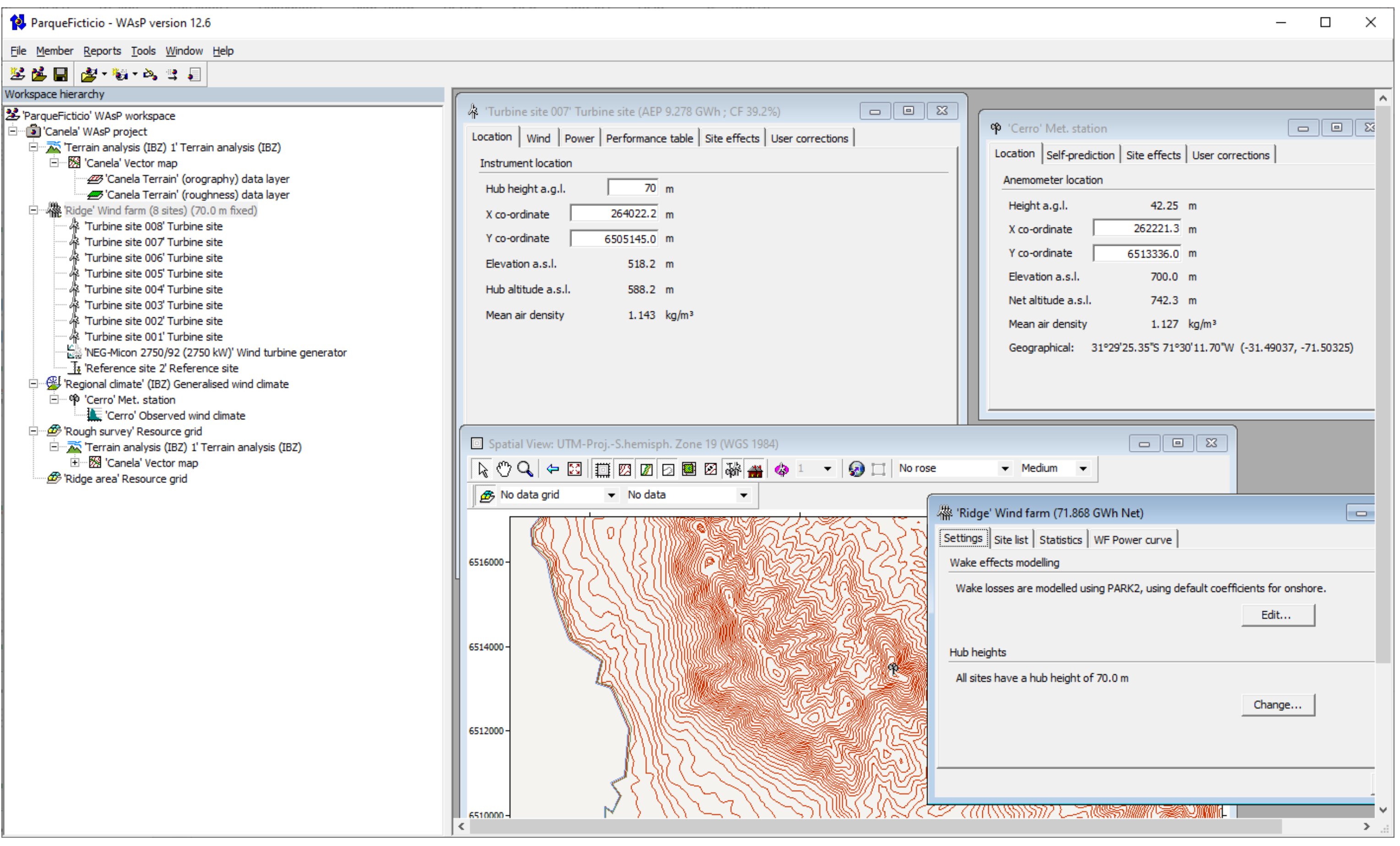
The WAsP Graphical User Interface#
The WAsP graphical user interface (GUI) for Windows has been around since it was first released in the 1990’s. Working with WAsP through PyWAsP is obviously very different than through “WAsP GUI”, but the goal of PyWAsP is to make it seamless to work on projects in both environments.
We achieve this by:
Providing I/O for all relevant WAsP file formats
Ensuring consistent calculations through the shared Fortran-based WAsP library
Using familiar terminology where possible
Concept Mapping#
The following table maps WAsP GUI concepts to their PyWAsP equivalents:
WAsP GUI Concept |
PyWAsP Equivalent |
Notes |
|---|---|---|
Observed Wind Climate (.owc) |
|
Binned wind climate with frequency tables |
Generalized Wind Climate (.gwc) |
|
Site-independent wind climate |
Site-predicted Wind Climate |
|
Wind climate at specific location |
Vector Map (.map) |
|
Combined into |
Wind Turbine Generator (.wtg) |
|
Power and thrust curves |
Wind Farm |
|
Turbine positions and types |
Resource Grid |
|
Gridded wind climate predictions |
AEP Calculation |
|
Annual energy production estimates |
Wake Model |
|
PyWake integration for wake effects |
Workspace (.wwh) |
See Tutorial 5 |
Import WAsP workspaces |
File Format Support#
PyWAsP and WindKit support reading and writing common WAsP file formats:
Extension |
Description |
Read Function |
Write Function |
|---|---|---|---|
|
Observed (Binned) Wind Climate |
|
|
|
Generalized Wind Climate |
|
|
|
Predicted (Weibull) Wind Climate |
|
|
|
Wind Resource Grid (WWC) |
|
|
|
Vector Map (elevation/roughness/landcover) |
|
|
|
Raster Map (elevation/roughness/landcover) |
|
|
|
Wind Turbine Generator |
|
|
|
WAsP Workspace |
|
Not yet supported |
Workflow Comparison#
Here’s how a typical wind resource assessment workflow compares between WAsP GUI and PyWAsP:
Import data
File → Import → Met mast data
Create observed wind climate in OWC Editor
Set up terrain
Add vector map (.map) to project
Define roughness classifications
Generalize
Right-click OWC → Generalize
Links OWC to map automatically
Create turbine sites
Add turbine sites manually
Or import from file
Calculate
Right-click turbine → Calculate
View results in tables/reports
Import data
import windkit as wk
import pywasp as pw

bwc = wk.read_bwc("mast_data.owc")
Set up terrain
elev = wk.read_elevation_map("terrain.map")
rgh = wk.read_roughness_map("terrain.map")
topo = pw.wasp.TopographyMap(elev, rgh)
Generalize
gwc = pw.wasp.generalize(bwc, topo)
Create turbine sites
sites = wk.spatial.create_point(
    x=[...], y=[...], h=[...],
    crs="EPSG:32632"
)
Calculate
wwc = pw.wasp.downscale(gwc, topo, sites)
wtg = wk.read_wtg("turbine.wtg")
aep = pw.gross_aep(wwc, wtg)
Key Differences#
PyWAsP workflows are defined in Python scripts, enabling automation, version control, and reproducibility that’s difficult to achieve with GUI-based workflows.
PyWAsP excels at batch processing - running calculations for many sites, scenarios, or parameter variations in a single script.
PyWAsP integrates with the scientific Python ecosystem (NumPy, pandas, xarray, matplotlib) for advanced analysis and visualization.
PyWAsP allows custom workflows and combinations not available in the GUI, such as custom wake models via PyWake.
Next Steps#
Work through the Classic WAsP step-by-step Tutorial to see the full workflow
Explore the Quick Overview for a condensed introduction
Check the User Guide for detailed explanations of each component